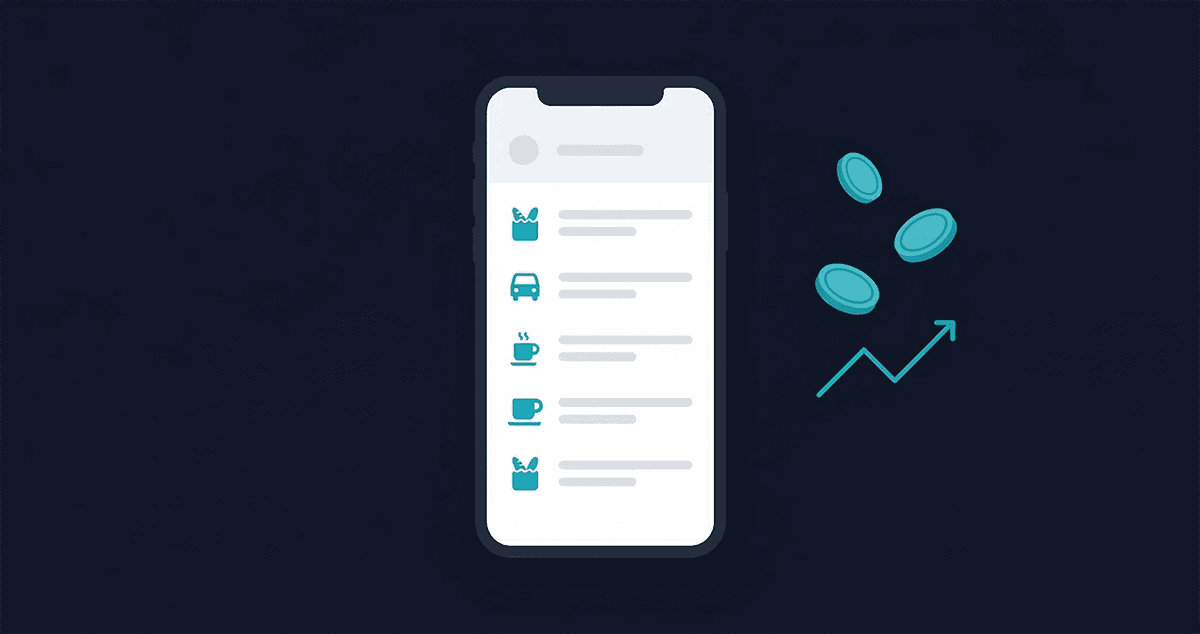
Most people know they should track their expenses. They've known it for years. The problem isn't knowledge — it's that every time they've tried, it felt like homework.
A spreadsheet they set up on January 1st. A budgeting app that wanted them to categorize every coffee. A notebook that lasted two weeks before it got buried under receipts.
The truth is, tracking your daily spending doesn't have to take more than 2 minutes. The trick isn't discipline or motivation — it's picking the right method and building a habit so small it barely registers.
This post covers five practical methods, the one habit that makes tracking stick, and what actually changes when you follow through for 30 days.
Why Tracking Expenses Feels So Painful
Before we fix the problem, it helps to understand why most people fail.
The spreadsheet trap. You spend three hours building the perfect expense tracker in January. Thirty-seven tabs, color coding, formulas for everything. By February, logging expenses takes ten minutes per session, so you stop.
Overcategorization. You want to know where your money goes, but the system wants you to decide whether that coffee is "Food & Dining," "Personal," or "Miscellaneous." 47 categories for someone who just wants to know why their account balance dropped $800 last month.
The guilt cycle. You miss a few days. You feel like you've failed. You tell yourself you'll "start fresh next month." This is the most common reason people quit — not laziness, but the psychological weight of imperfection.
The real problem isn't discipline. It's friction. The more steps between "I spent money" and "that's logged," the faster the habit dies. The best tracking system is the one you'll actually use.
5 Ways to Track Your Daily Spending
No single method works for everyone. Here's an honest look at the options.
1. The Notes App Method
Open your phone's notes app and jot amounts throughout the day. "Coffee 4.50, lunch 12, parking 3."
Pros: Zero setup. Always available. No account required. If something happened to your apps, you could do this forever.
Cons: No totals, no categories, no running balance. When you look at a month's worth of numbers at the end, you have a wall of text and no way to understand it quickly. Hard to answer "how much did I spend on food this month?"
Best for: Absolute beginners who need to start somewhere. It's better than nothing, and you can always upgrade later.
2. The Envelope System (Cash-Based)
Withdraw cash at the start of the week or month. Divide it into labeled envelopes — groceries, transport, eating out, entertainment. When the envelope is empty, that category is done.
Pros: Physical money is psychologically real in a way digital spending isn't. People genuinely spend less with cash. It's completely automatic — the envelope tells you when you're over budget.
Cons: Impractical for online purchases, subscriptions, and card payments. Doesn't track income. Not great if you're splitting costs with others. And carrying cash is a habit its own.
Best for: Anyone who tends to overspend with cards and wants a circuit breaker.
3. Spreadsheets (Google Sheets / Excel)
Build or download a template. Log each transaction with date, category, amount, and description.
Pros: Free, flexible, works exactly the way you set it up. Excellent for people who genuinely like data and want full control over how things are organized.
Cons: Manual entry at a desk, which means you're logging transactions later — and later often becomes never. Easy to overcomplicate. Not mobile-friendly unless you're disciplined about opening a spreadsheet on your phone.
Best for: Data-oriented people who have 15–20 minutes per week to maintain a system.
4. Bank App Notifications
Enable transaction alerts from your bank. Every purchase sends a notification.
Pros: Zero effort. Completely passive. You don't have to do anything except read the notifications.
Cons: Awareness without insight. You know a transaction happened, but you don't have a running total, no categories, and no monthly summary. All accounts get mixed together. At month-end, you still have no clear picture.
Best for: A first layer of awareness. Not a replacement for tracking.
5. A Dedicated Expense Tracking App
Purpose-built apps handle the structure — you just add the numbers.
Pros: The lowest friction if the app is simple. Categories, totals, and summaries are built in. You can add a transaction in under 30 seconds. The data is useful immediately.
Cons: Requires some setup. If the app is complicated, it becomes its own source of friction.
This is why I built Traxpense Flow. I'd tried methods 1 through 4 and kept running into the same wall: either too much effort to maintain, or too little insight to be useful. I wanted something that combined the simplicity of a notes app with actual financial clarity — a few taps and you're done.
The 2-Minute Rule for Expense Tracking
The single most effective habit change for tracking is this: set a daily 2-minute window and do it at the same time every day.
Every evening before bed (or during lunch), open your tracker and log what you spent that day. On a typical day, that's 3–5 transactions. At 15–20 seconds per entry, you're done in under 2 minutes.
The key insight from habit research is that a behavior taking less than 2 minutes is nearly impossible to avoid. You don't need motivation for 2 minutes. You just do it.
Anchor it to an existing habit. This is called habit stacking. "After I brush my teeth, I log expenses." Or "while my morning coffee brews, I log yesterday's spending." The existing habit triggers the new one automatically.
What if you miss a day? Don't try to reconstruct every transaction perfectly. Estimate and move on. Directional accuracy beats perfection. A rough $35 for yesterday's groceries is infinitely more useful than spending 20 minutes trying to find the exact receipt and giving up entirely.
After two weeks, the habit becomes automatic. After a month, you'll feel strange when you don't log — the same way you feel odd if you forget to brush your teeth.
What You Should (and Shouldn't) Track
Trying to track everything perfectly is the fastest way to track nothing.
DO track:
- Every purchase above a small threshold (many people use $5 as the cutoff — find what works for you)
- Rent, mortgage, and utilities
- Subscriptions (monthly and annual)
- Groceries, transport, eating out
- Income — what comes in is just as important as what goes out. Tracking income alongside expenses gives you a real savings rate, not just a spending record. (If you're self-employed, this matters even more — see our guide to saving for taxes as a freelancer.)
DON'T obsess over:
- Exact change. Round to the nearest dollar and keep moving.
- Splitting a shared bill down to the cent.
- Every $0.50 parking meter charge.
Keep categories simple. Five to eight categories is enough for most people. Food, Transport, Bills, Entertainment, Shopping, and Health covers the majority of spending. Traxpense uses this approach — a short list you can categorize by feel, without deliberating.
The goal is a clear picture of your spending, not an accounting system. Close is good enough.
What Changes After 30 Days of Tracking
Here's what most people discover once they've consistently tracked for a month:
You find your invisible expenses. Subscriptions you forgot you were paying. That daily coffee adding up to $90/month. Small purchases that felt trivial but accumulated into hundreds. These "invisible" expenses are impossible to see without a record.
You naturally spend less. Simply being aware of spending reduces it. Studies consistently show that awareness alone reduces spending by 10–15% — no budgeting rules required. When you know you're going to log a purchase, you think about it differently.
You make better decisions. "Can I afford this?" stops being a vague guess. When you know your average monthly spending, your current balance, and what's coming up, you can answer the question accurately.
You stop feeling anxious about money. Not because you have more of it, but because uncertainty goes away. Most financial anxiety isn't about the number — it's about not knowing the number. Tracking gives you the number.
Start Tracking Today
If you've read this far, you already want to try. The mistake is waiting for the perfect system or the right moment.
Pick one method from this list and start tonight. Log what you spent today. It doesn't have to be organized or complete — it just has to be started.
If you want something simple that doesn't require a spreadsheet or a learning curve, Traxpense Flow lets you add a transaction in 3 taps. Free during beta.
Ready to track smarter?
Start tracking your expenses and income for free — no credit card required.
Start for Free →Read next: 50/30/20 Budget Rule: Does It Actually Work in 2026?